
When your to-do list already feels endless, bouncing between apps just to hit “Post” can drain your time and energy fast. That’s why so many creators, founders, and marketers lean on social media scheduling tools — to batch content, stay consistent, and actually step away from their screens.
I used to post everything in real time, too. It felt productive… until it wasn’t. After testing more than a dozen schedulers, I realized something: the right tool doesn’t just save time — it creates breathing room.
Planning ahead keeps your content consistent, your audience engaged, and your calendar under control. Let’s break down what these tools do, what features truly matter, and how to find the best fit for your workflow.
Table of Contents
ToggleWhat Are Social Media Scheduling Tools?
Social media scheduling tools are platforms that let you plan and schedule posts in advance. Instead of manually publishing content across multiple apps, you queue everything up once — and the software handles the rest.
This is especially helpful if you’re managing several platforms. Rather than logging into five different accounts daily, you manage everything from one dashboard.
The result? Less scrambling. More strategy.
Here’s what that shift unlocks:
-
More creative focus – Spend time crafting stronger content instead of worrying about timing.
-
Better community engagement – Reply to comments and DMs without juggling uploads.
-
Predictable posting rhythm – Replace reactive posting with a clear, structured schedule.
Whether you’re a solo creator, small business owner, or full-time social media manager, schedulers help you stay visible without being glued to your phone.
Common Features in Social Scheduling Tools
Most modern social media management platforms now include:
-
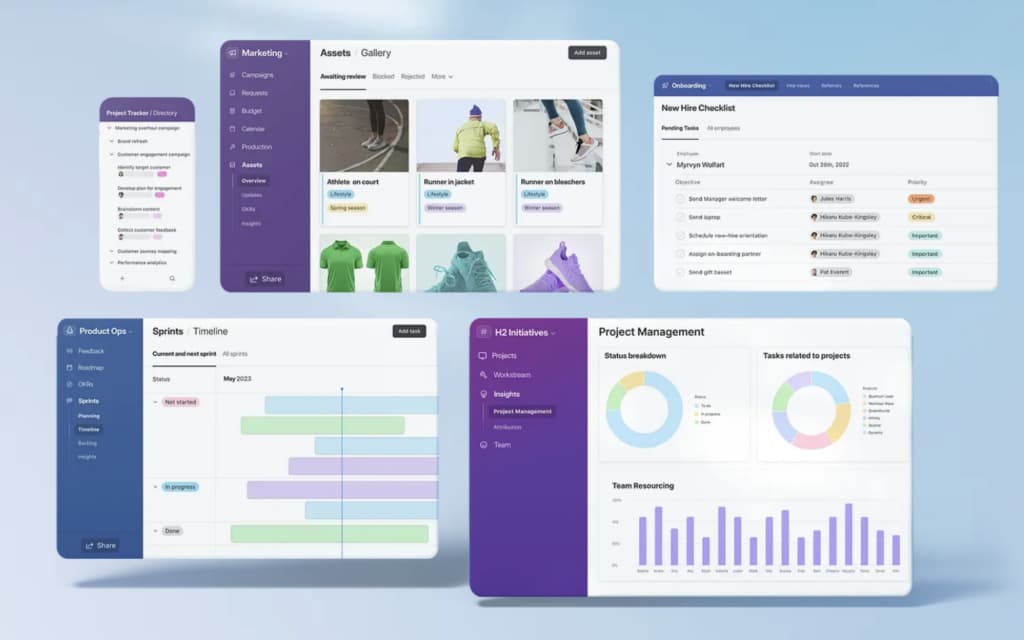
A visual content calendar with drag-and-drop editing
-
Bulk scheduling options for batching weeks (or months) at once
-
AI writing assistants for captions and ideas
-
Team approval workflows
-
A unified inbox for comments and messages
-
Built-in analytics for tracking performance
But not every tool handles these features equally well — and not every workflow needs them all.
What to Look For Before Choosing a Scheduler
The “best” tool depends on how you work. A freelancer managing one brand needs something different from an agency overseeing multiple clients. Here are the five features that matter most:
1. A Flexible Content Calendar
A drag-and-drop calendar gives you a clear overview of what’s scheduled and what’s missing. You should be able to reschedule posts quickly when plans change.
Bonus points if it syncs seamlessly across desktop and mobile — because last-minute edits always seem to happen on the go.
2. Bulk Scheduling and Approval Workflows
If you batch content (which I highly recommend), bulk upload capabilities are a must. Upload a folder of assets or a CSV file, assign dates, and schedule everything at once.
For teams, approval workflows are non-negotiable. A simple draft → review → publish system prevents awkward “Can we take that down?” moments after a post goes live.
3. Unified Inbox and Collaboration Tools
Managing engagement across multiple platforms can get chaotic fast. A unified inbox brings all DMs, comments, and mentions into one stream.
Collaboration features like internal notes, role permissions, and shared drafts eliminate the need for endless Slack messages and email threads.
4. Media Library and Strong Mobile Access
A searchable media library saves you from hunting for logos, templates, or evergreen content repeatedly.
And in 2026, mobile functionality should mirror desktop features. If you can’t adjust captions or schedule posts easily from your phone, the tool will slow you down.
5. Built-In Analytics and Performance Tracking
Scheduling is only half the job. Growth happens when you analyze what’s working.
Look for tools that track:
-
Reach
-
Engagement rates
-
Click-throughs
-
Follower growth
-
Best-performing content
AI helpers are becoming standard, too. While they won’t replace strategy, they can cut down admin time significantly.
The Best Social Media Scheduling Tools in 2026
There’s no shortage of options this year. Some platforms prioritize creators, others cater to agencies, and some aim to be all-in-one marketing hubs.
The standout tools in 2026 share a few traits:
-
Clean, intuitive dashboards
-
Reliable automation
-
Strong cross-platform support
-
Meaningful analytics
-
Collaboration-ready systems
Whether you’re building a personal brand, running ads for clients, or managing multiple accounts for a growing business, there’s a scheduler built for your pace and priorities.
How to Find Your Perfect Fit
Before committing, ask yourself:
-
How many accounts am I managing?
-
Do I need team approvals?
-
Is deep analytics important for my goals?
-
Do I batch content weekly or monthly?
-
Will I need strong mobile functionality?
If you’re solo, prioritize simplicity and speed.
If you’re managing clients, prioritize collaboration and reporting.
If you’re scaling fast, choose a tool that won’t limit you six months from now.
Final Thoughts
Social media scheduling tools aren’t just about automation — they’re about reclaiming time.
The right platform helps you move from reactive posting to intentional strategy. It frees you to think bigger, engage deeper, and log off without anxiety.
Consistency doesn’t require constant presence anymore. It requires smart systems.
And in 2026, those systems are better than ever.